

Contact me if you need a pro
Discovering Airtable: The Future of No-Code Databases

Discovering Airtable: The Future of No-Code Databases
Estimated Reading Time: 10 minutes
Key Takeaways
- Airtable combines the simplicity of spreadsheets with the power of relational databases.
- It offers real-time collaboration and customization without requiring coding skills.
- Main features include automation, integrations, and a visual, flexible interface.
- Airtable supports various business functions, including project management and CRM.
- While feature-rich, higher-tier plans are needed for extensive functionality.
Table of Contents
Understanding Airtable
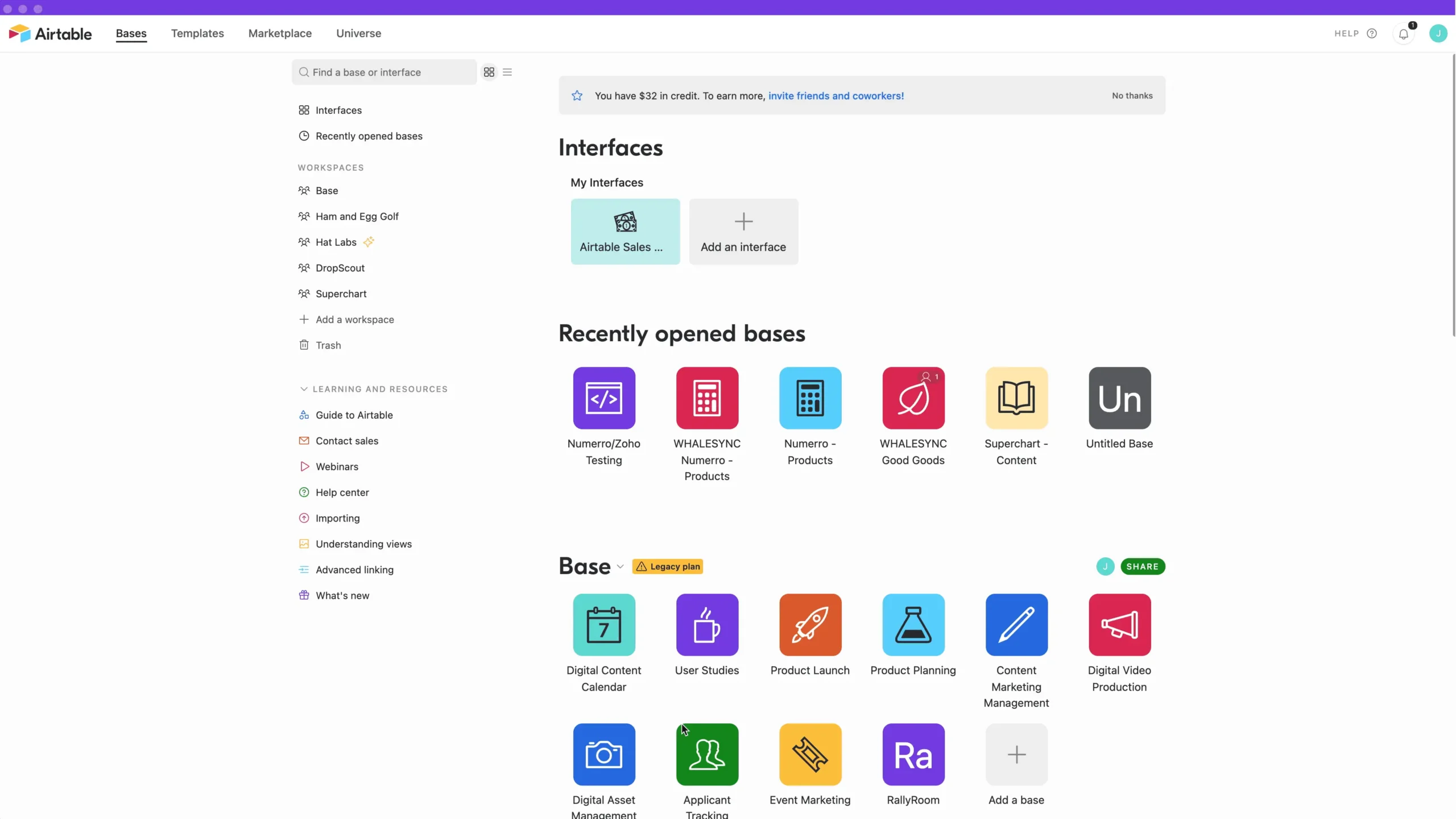
Airtable is a cloud-based, no-code database platform that allows users to build custom applications, track workflows, and integrate data across various tools. Unlike traditional tools like spreadsheets or databases, Airtable encourages collaboration by allowing multiple users to work in real-time. This has made it a favorite among both non-technical users and developers alike, who appreciate its ease of use and powerful functionalities (source: Product Talk, Airtable, Zapier).
Spreadsheet–Database Hybrid
At first glance, Airtable resembles a spreadsheet. However, it possesses many underlying features typical of relational databases, such as defining field types, linking records between tables, and running queries to extract data. This hybrid approach empowers users to create highly structured databases with minimal technical know-how (source: Product Talk, Softr, Zapier).
Cloud, Collaborative, and No-Code
Another highlight of Airtable is its cloud-based nature, allowing users to access their data from anywhere via a browser or mobile app. Real-time collaboration features ensure that changes made by one user are instantly updated for all to see. Its no-code approach enables anyone—regardless of technical skill—to create robust data solutions tailored to their specific needs (source: Airtable, Softr, Zapier).
Application-Building Platform
Airtable is not just another database tool; it serves as a powerful application-building platform. Companies can leverage it to create customized business apps that handle various workflows, such as tracking marketing campaigns or managing product roadmaps (source: Airtable, Airtable, Welcome to My Automation Journey: WordPress, N8N, and Beyond).
How Airtable Works: Core Concepts
Airtable’s structure mirrors traditional database concepts but maintains a spreadsheet vocabulary, making it approachable for all users. Here are the core components:
Workspace, Bases, Tables, and Records
- Workspace: This is the top-level container in Airtable, capable of holding multiple bases, each linked to a specific team or department (source: Airtable).
- Base: Acting like a mini-database, a base groups related tables, views, interfaces, and automations into one coherent application (source: Guide R Ladies, Airtable).
- Table: Comparable to a spreadsheet, a table holds records defined by a specific set of fields (source: Softr, Guide R Ladies).
- Record: A record is essentially a single row within a table, representing one item, be it a project, a person’s contact info, or a support ticket (source: Softr, Guide R Ladies).
- Field: A field corresponds to a column in the table and can have over 30 different types, ranging from simple text and numbers to attachments and roll-up data (source: AITable, Softr, Guide R Ladies).
Views and Visualization
Airtable offers various views to visualize data, such as grid views that resemble spreadsheets, Kanban boards for project tracking, calendars for timelines, and galleries for displaying items in a card layout. Each view can be customized with different filters, sorting, and grouping options (source: AITable, Softr, Guide R Ladies, Zapier).
Key Features of Airtable
Collaboration and Permissions
One of Airtable’s standout features is its capabilities for real-time collaboration. Multiple users can work on the same base simultaneously, with live updates reflecting changes made by each collaborator (source: AITable, Airtable, Guide R Ladies, Maximizing the ROI of Professional Websites: Proven Strategies and Success Stories).
- Comments and @mentions: Users can comment on specific records, mention teammates for task assignments, or provide status updates, which fosters better team communication (source: AITable, Airtable).
- Access control: Airtable’s permission system allows for varying levels of access, ensuring that sensitive data can remain secure while still being accessible to those who need it (source: Airtable, Guide R Ladies).
Automations and Integrations
Airtable’s automation capabilities allow users to create workflows without writing code. A visual builder helps set up triggers—such as record changes or form submissions—and actions like sending emails or updating records (source: AITable, Softr, Guide R Ladies, Zapier).
Integrating Airtable with third-party tools enhances its functionality further. Native integrations with platforms like Google Workspace, Slack, and Salesforce allow data synchronization and streamlined workflows across systems (source: AITable, Airtable, Softr, Guide R Ladies, Understanding Google Trends: The Ultimate Tool for Real-Time Insights).
Developer Capabilities
For developers, Airtable is equipped with a REST API that allows them to programmatically read and write data (source: AITable, Airtable, Softr). Custom scripts can be executed through the Scripting extension, providing an avenue to implement tailored logic and validations (source: AITable, Softr, Zapier).
Introducing AI with Airtable
AI features integrated within Airtable are paving the way for smarter workflows. The platform now boasts AI field types and assistants capable of generating content, writing formulas, summarizing records, and even helping design tables through natural language prompts (source: Softr, Airtable, Odoo: Transforming Business Operations with Customizable ERP Solutions).
AI-Driven Workflows
The incorporation of AI into automations can streamline the entire workflow process, allowing users to analyze text and extract meaningful insights, making data management even more intuitive (source: Airtable, Softr).
Complete AI-Powered Apps
With Airtable’s positioning around its AI capabilities, users can create “complete, AI-powered apps” that automate decisions and analyze documents without needing to write a single line of code (source: Airtable, GitHub Copilot: The Ultimate Guide to Features, Benefits, and Future of AI-Powered Coding).
Typical Use Cases for Airtable
Airtable caters to various business functions as a flexible system for recording and managing workflows, demonstrating its versatility across industries:
- Project Management: Efficiently track initiatives, timelines, and resources with Gantt charts and Kanban boards (source: AITable, Airtable, Softr, Zapier, Unlock Success with Custom Ecommerce Solutions).
- Customer Relationship Management (CRM): Manage leads and customer interactions, integrating directly with email tools to streamline communication (source: AITable, Softr, Zapier, How to Improve Website Speed for Better ROI).
- Marketing Operations: Handle campaign management, content calendars, and asset libraries, effectively coordinating marketing tasks across platforms (source: Airtable, Softr, Websites for Local Businesses).
- Product and Engineering: Control product roadmaps, backlogs, and feature releases, ensuring teams are aligned and up-to-date (source: Airtable, Zapier).
- AI and Machine Learning Workflows: Store and manage AI training data, integrating seamlessly with automation frameworks to streamline AI product development (source: Product Talk).
Organizations ranging from startups to large enterprises like LinkedIn and Shopify leverage Airtable to enhance their workflows and enhance collaboration on a unified data layer (source: Airtable).
Pricing Tiers of Airtable
While Airtable’s pricing can evolve, it generally offers several tiers based on the features needed:
- Free / Starter Tier: Ideal for individuals or small teams using limited records and basic collaboration tools (source: Airtable, Softr, Zapier, InfinityFree: A Comprehensive Guide).
- Team / Business Tiers: This tier offers increased capacity for records and collaborations, expanding automation runs and integration options.
- Enterprise Tier: Designed for larger organizations needing enhanced security controls, advanced features, and organization-wide capabilities (source: Airtable, Softr, Zapier).
Strengths and Limitations
Strengths
- User-Friendly Interface: Airtable is well-known for its approachable design, making it easy for non-technical users to harness the power of data management (source: Product Talk, Guide R Ladies, Zapier).
- Customizable Workflows: Users can create tailored workflows without writing code, making it adaptable to various needs as teams grow (source: AITable, Airtable, Zapier).
- Integration Options: Built-in integrations with many popular tools minimize the need for manual data transfers (source: AITable, Airtable, Softr, Guide R Ladies).
- Flexible Views and Interfaces: The extensive range of views supports both operational tasks and analytical reporting (source: Airtable, Softr).
Limitations
While Airtable excels in many areas, it does have some limitations:
- Scalability: It may not serve as a replacement for very high-throughput databases due to record limits and API rate restrictions set by plan levels (source: AITable, Softr, Zapier).
- Governance of Complex Architectures: As organizations grow and require more complex setups, maintaining oversight can become challenging without clear guidelines (source: AITable, Softr, Zapier).
- High-End Features Require Advanced Plans: Some of the more robust functionalities, like enterprise security and high volumes of automation, often necessitate subscription to higher-tier plans (source: AITable, Softr, Zapier).
Where Airtable Stands in the Market
Perhaps one of the more pressing questions for potential users is how Airtable compares to other tools in the market:
| Tool Type | Airtable’s Position |
|---|---|
| Traditional Spreadsheet (Excel, Sheets) | Offers greater structure and relationships with automation options (source: AITable, Softr, Zapier) |
| Traditional Database (MySQL, Postgres) | Provides a more visual, no-code interface despite lesser complexity and scalability (source: Product Talk, Zapier) |
| Project Management Apps (Asana, Trello) | More versatile as a data-first system, enabling more than just task management (source: Zapier) |
| No-Code App Builders | Emphasizes data and workflows while supporting easier modeling and setup (source: Airtable, Softr) |
In summary, Airtable represents a remarkable convergence of user-friendliness, collaborative functionality, and robust data management capabilities. Its blend of traditional spreadsheet features with modern database capabilities and no-code user experience distinctly positions it as a leader in the landscape of operational tools. With its versatility catering to a multitude of business functions, Airtable is poised to retain a vital role in the future of data management and workflow optimization. Whether for personal projects or enterprise-wide initiatives, Airtable offers a comprehensive solution worthy of consideration.
Frequently Asked Questions (FAQ)
- Q: What is Airtable primarily used for?
A: Airtable is used for creating custom applications, tracking workflows, and integrating data across different tools. It combines the functionalities of spreadsheets and databases for a collaborative and real-time data management experience.
- Q: How does Airtable compare to traditional spreadsheets?
A: While traditional spreadsheets focus on independent data manipulation, Airtable provides relational database capabilities along with real-time collaboration, automation, and flexible visualizations like Kanban boards and galleries.
- Q: Can Airtable handle high-volume data operations?
A: Airtable is scalable for moderate use but might face challenges with very high-throughput operations due to record limits and API rate restrictions based on the pricing plan.
- Q: What are some examples of Airtable integrations?
A: Airtable natively integrates with platforms such as Google Workspace, Slack, Salesforce, and many others to enhance workflow and data synchronization across systems.
